λSafe

Plan, analyse and prove safety in one traceable workspace.

λSafe covers the full lifecycle of safety-related products: planning, requirement management, test management and safety analysis, with the evidence linked end to end.

Built for IEC 61508, ISO 26262 and ISO 13849-1 projects. One of Pyravera's safety tools.

Safety metrics Example project data
IEC 61508 · SIL 3✓ Meets target
SFF90.6%
PFH4.06e-8
ISO 13849-1 · PL e⚠ Marginal
MTTFd68 y
DCavg91.0%
PLPL d
ISO 26262 · ASIL D✗ Below target
SPFM90.6%
LFM94.2%
PMHF14.2 FIT

Four modules, one lifecycle

From the first plan to the final safety case

Each module works on the same project data, so a change in one place shows up wherever it matters.

Planning

Set up each project, its safety cases and the work products they require. Track every branch against its target standard.

Requirement management

Define safety functions and requirements, then link them to the hardware and mechanisms that realise them.

Test management

Plan verification and record results, so each requirement points to the evidence behind it.

Safety analysis

FMEDA, common cause analysis and safety metrics, calculated against the standard that applies to your product.

Inside λSafe

One workspace, from plan to proof

Pick a module to see its screens. They come from an example IEC 61508 SIL 2 project with the project content blurred. Labels, structure and calculated results are shown as they appear in the tool.
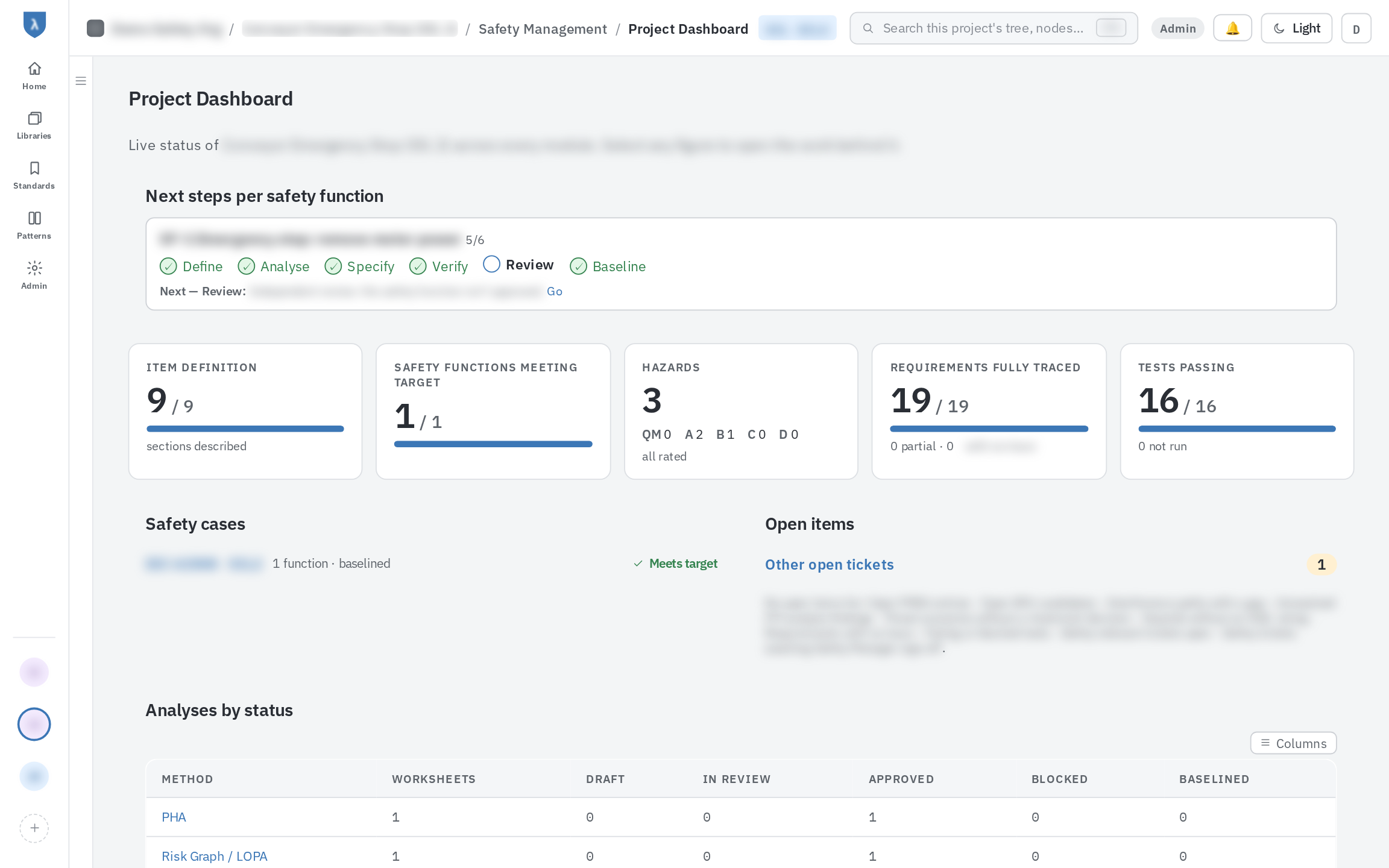
λSafe project dashboard with next steps per safety function, coverage figures and analyses by status
Project dashboard. Next steps for each safety function, item definition, hazard, traceability and test coverage, and the status of every analysis in one view.
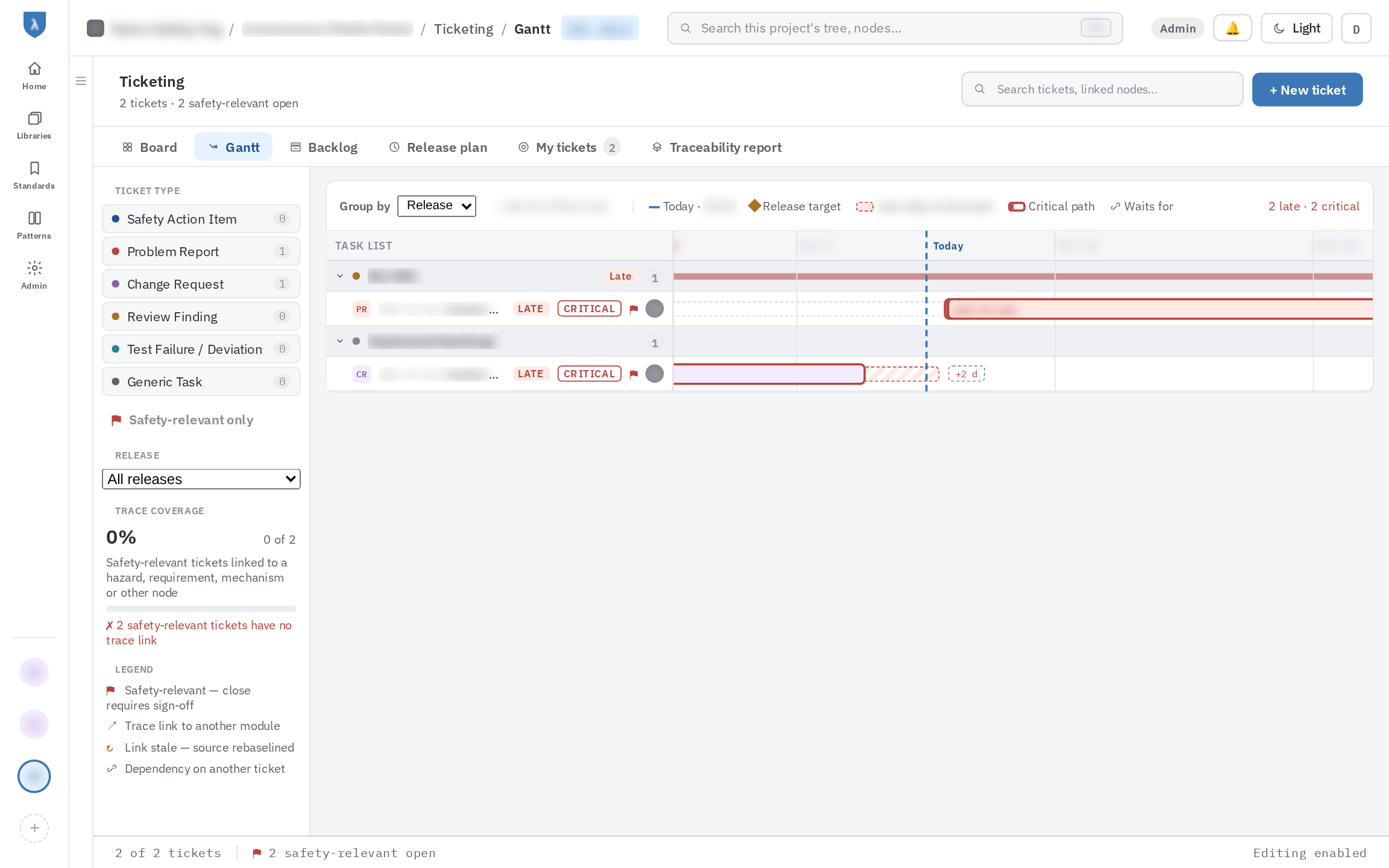
Gantt chart of tickets grouped by release, with today line, release targets and critical path
Gantt chart. Tickets grouped by release, with release targets, dependencies and the critical path. Late and critical work is flagged.
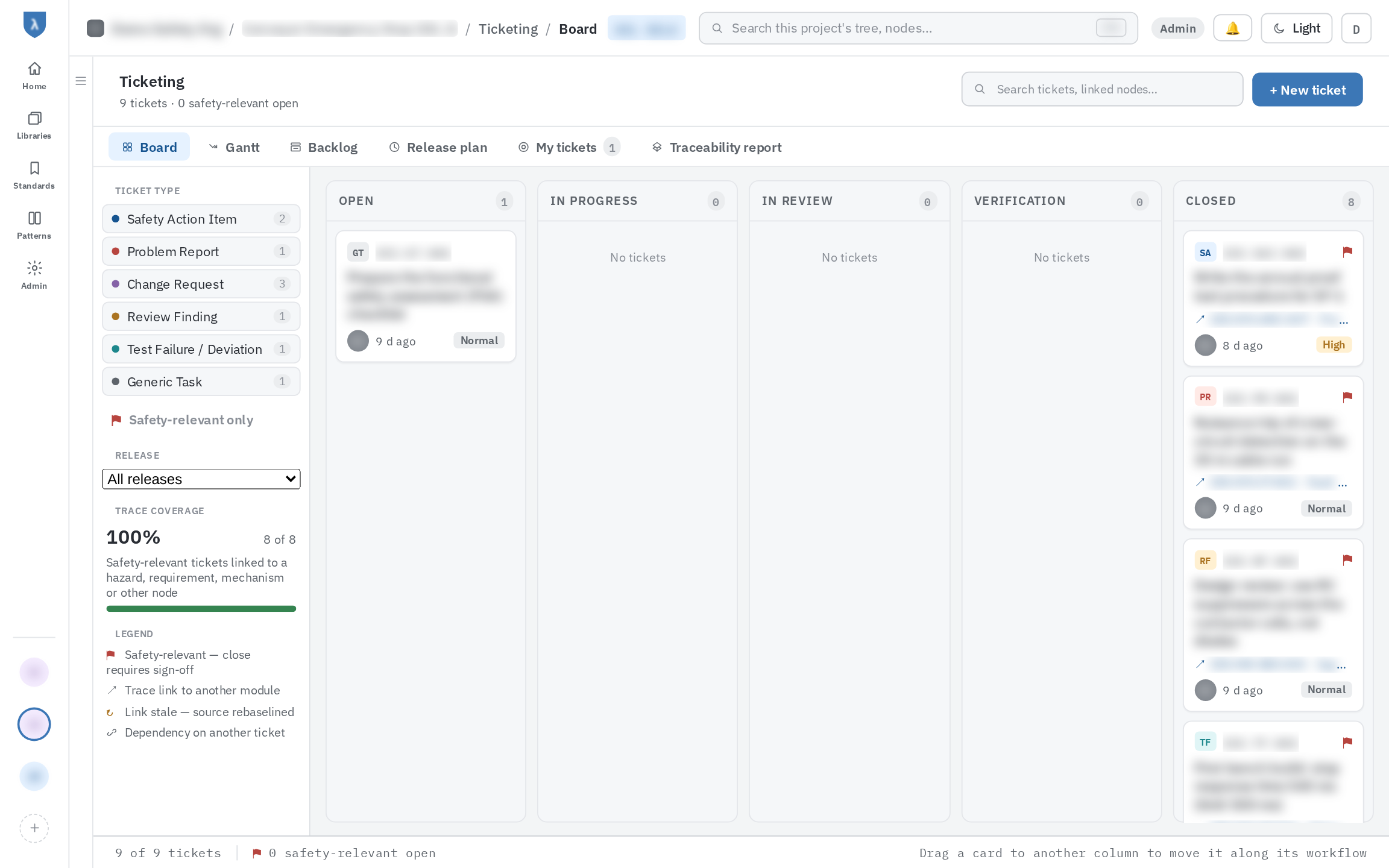
Ticket board with workflow columns, ticket types and trace coverage of safety-relevant tickets
Ticket board. Safety actions, problem reports, change requests and review findings on one workflow. Safety-relevant tickets need sign-off and a trace link to close.
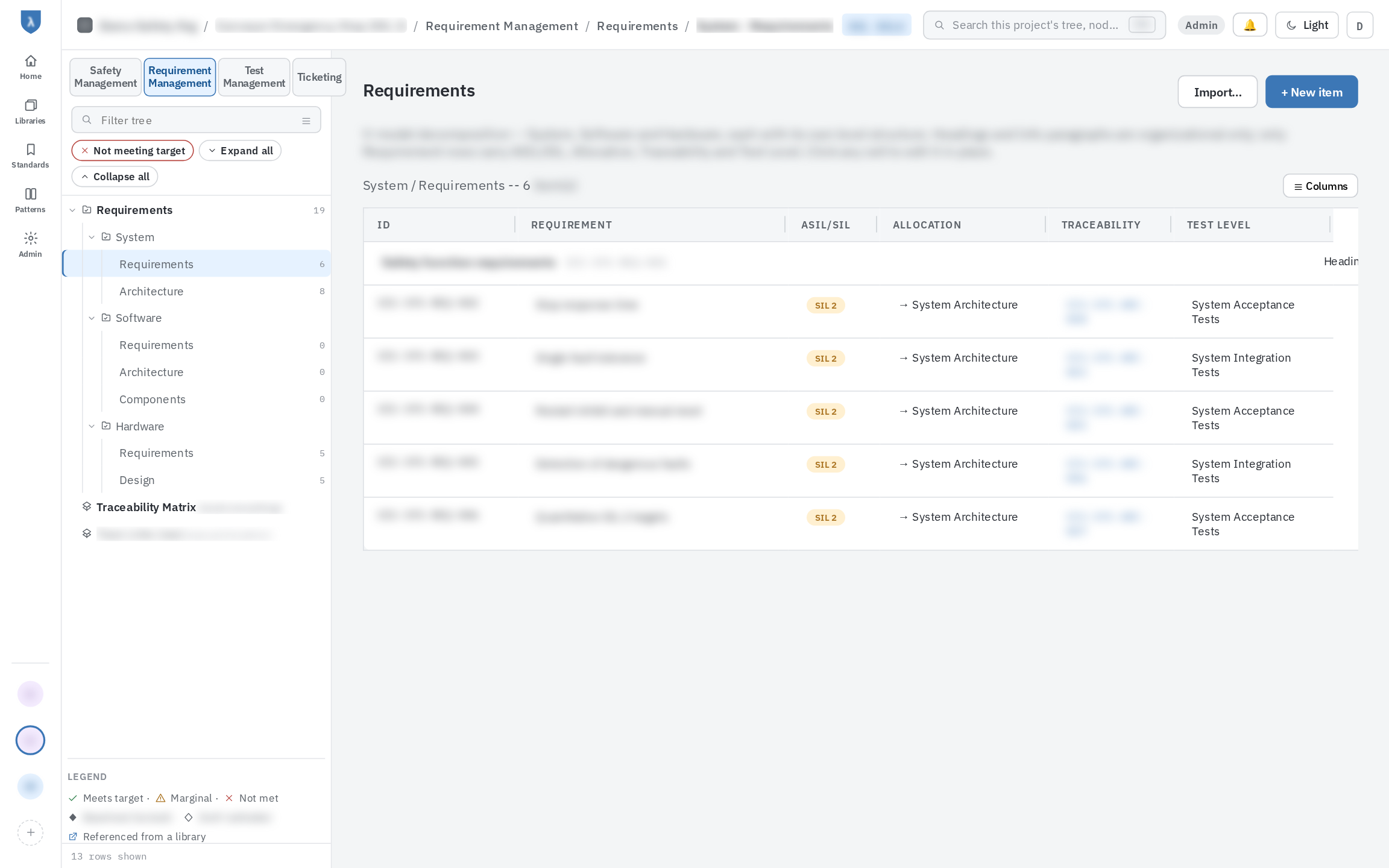
Requirement tree split into system, software and hardware levels, with a requirements table showing SIL, allocation, traceability and test level
Requirement structure. System, software and hardware levels follow the V-model. Each requirement carries its integrity level, allocation, trace links and test level.
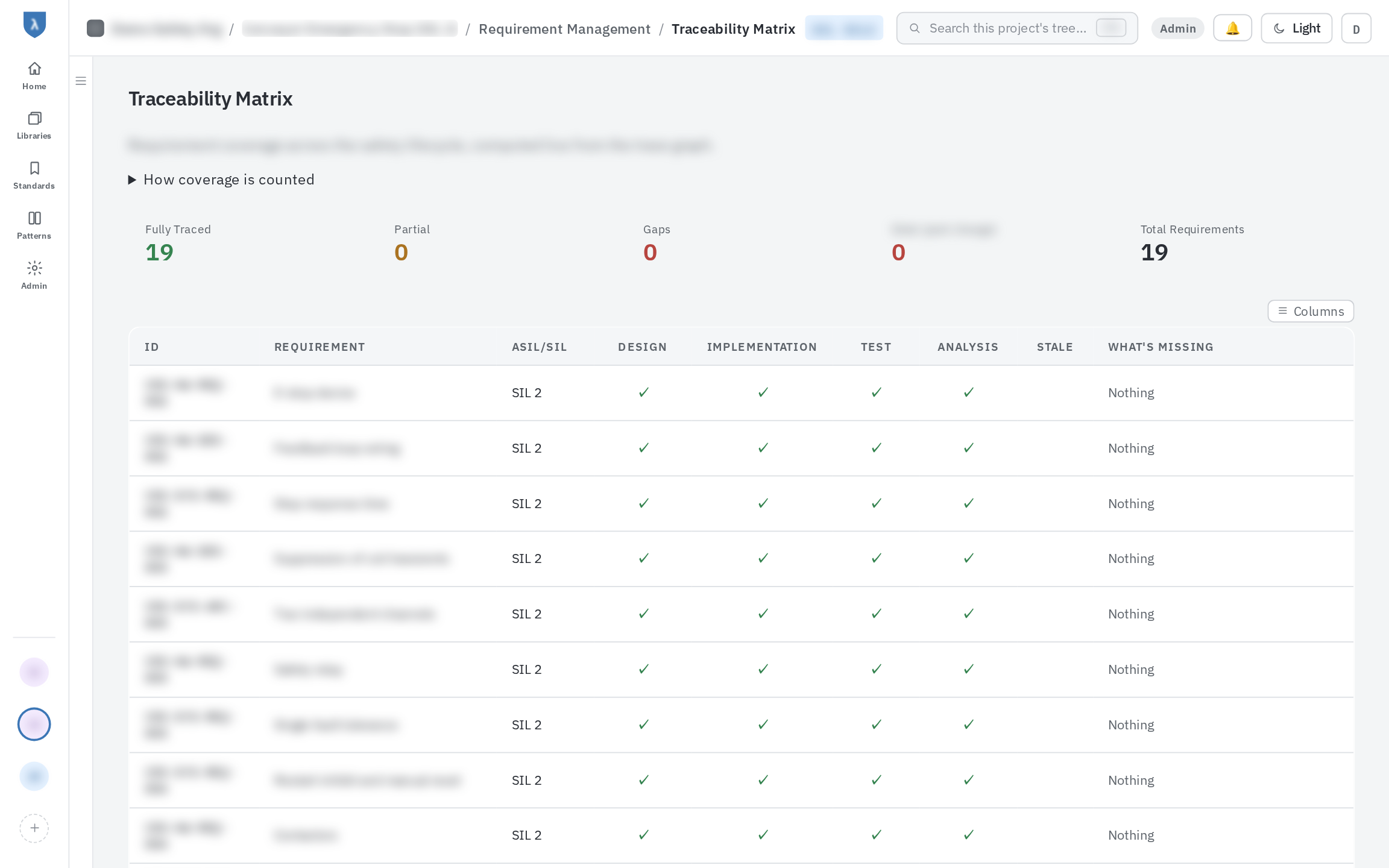
Traceability matrix showing design, implementation, test and analysis coverage per requirement
Traceability matrix. Design, implementation, test and analysis coverage for every requirement, with stale links and what is missing called out.
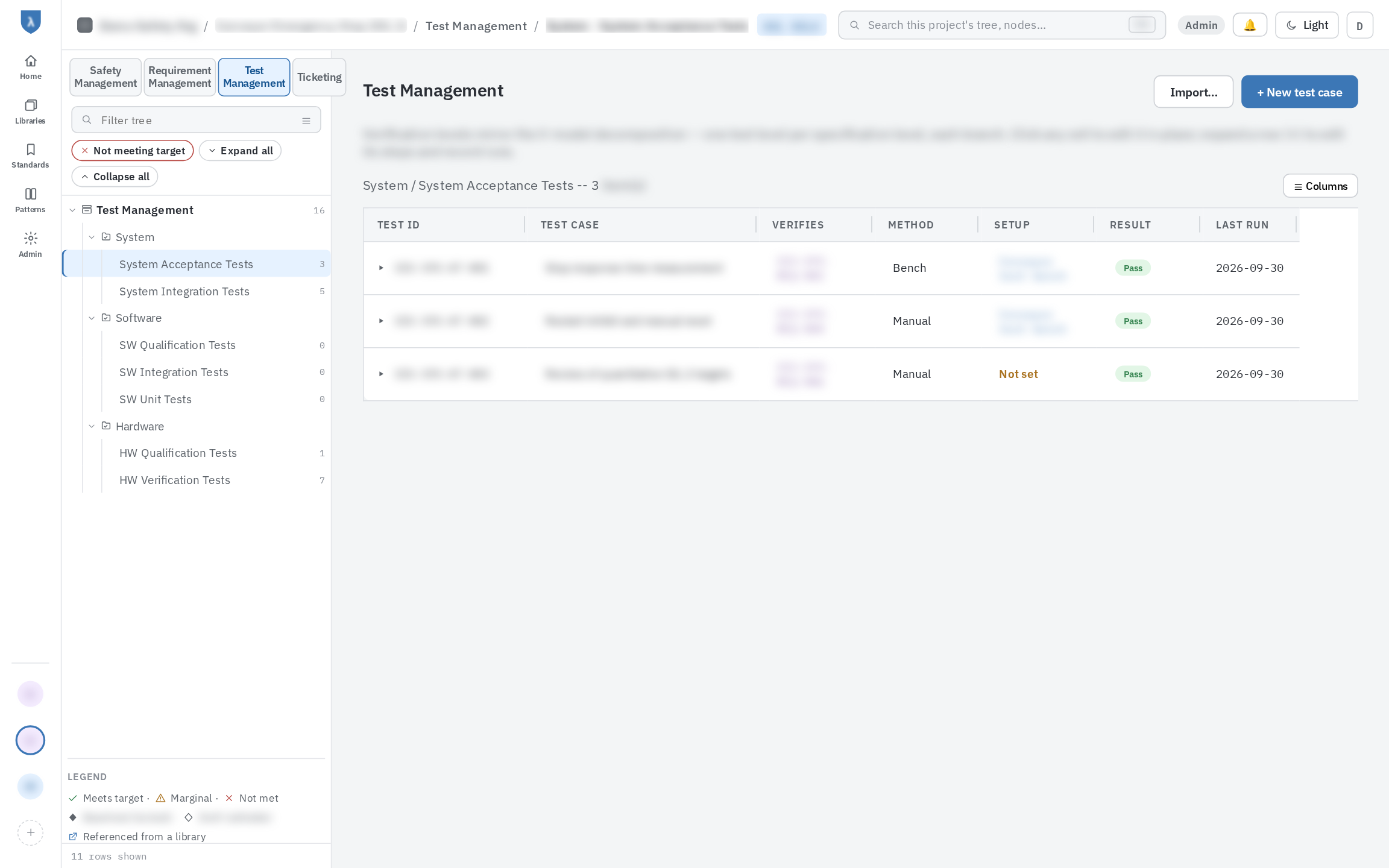
Test management tree by test level, with test cases, verified requirements, method, result and last run
Test structure. Test levels mirror the requirement levels. Each test case names the requirements it verifies, its method and its latest result.
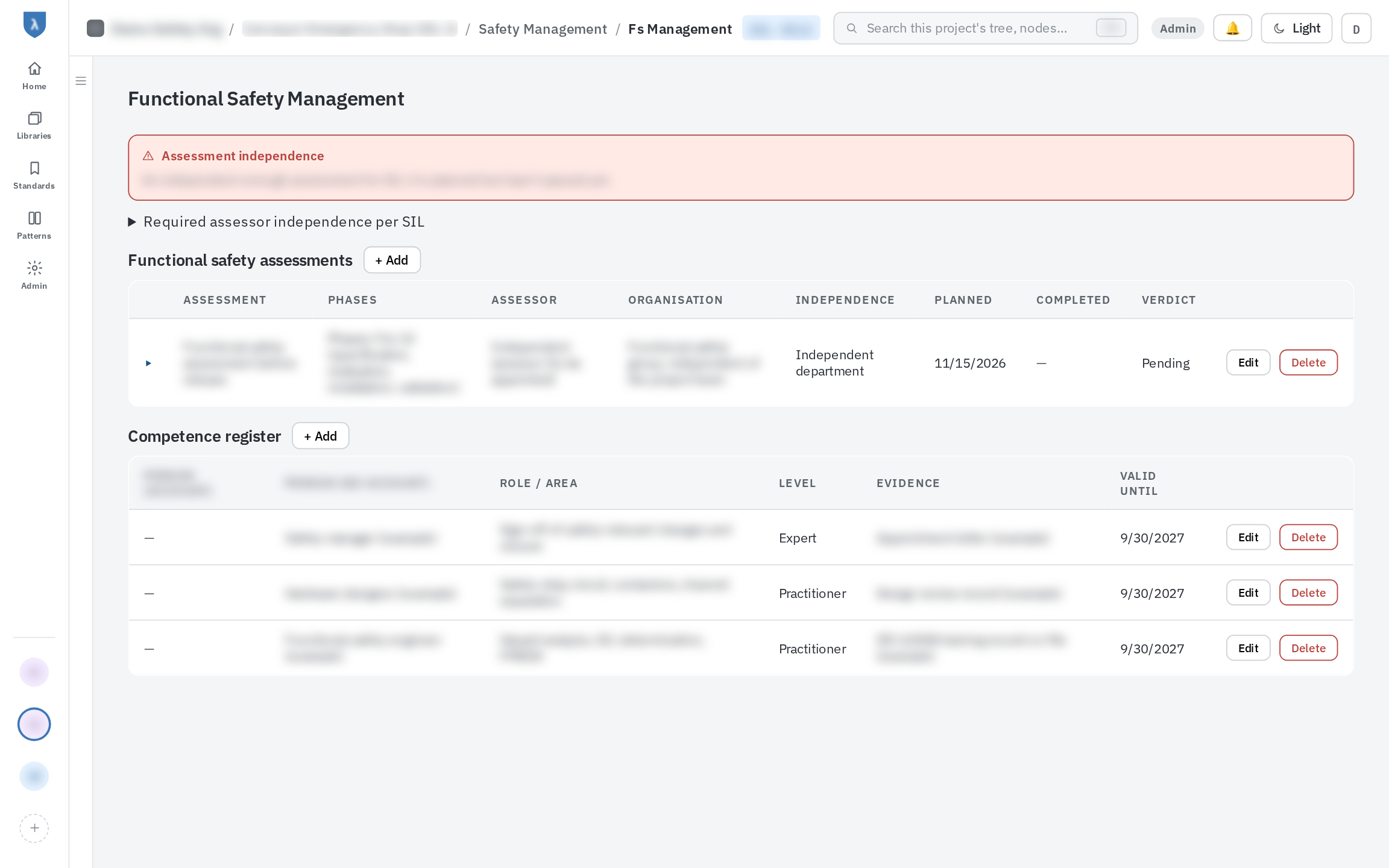
Functional safety management page with assessments, assessor independence and a competence register
Functional safety management. Plan assessments with the independence the SIL requires, and keep a competence register for the people involved.
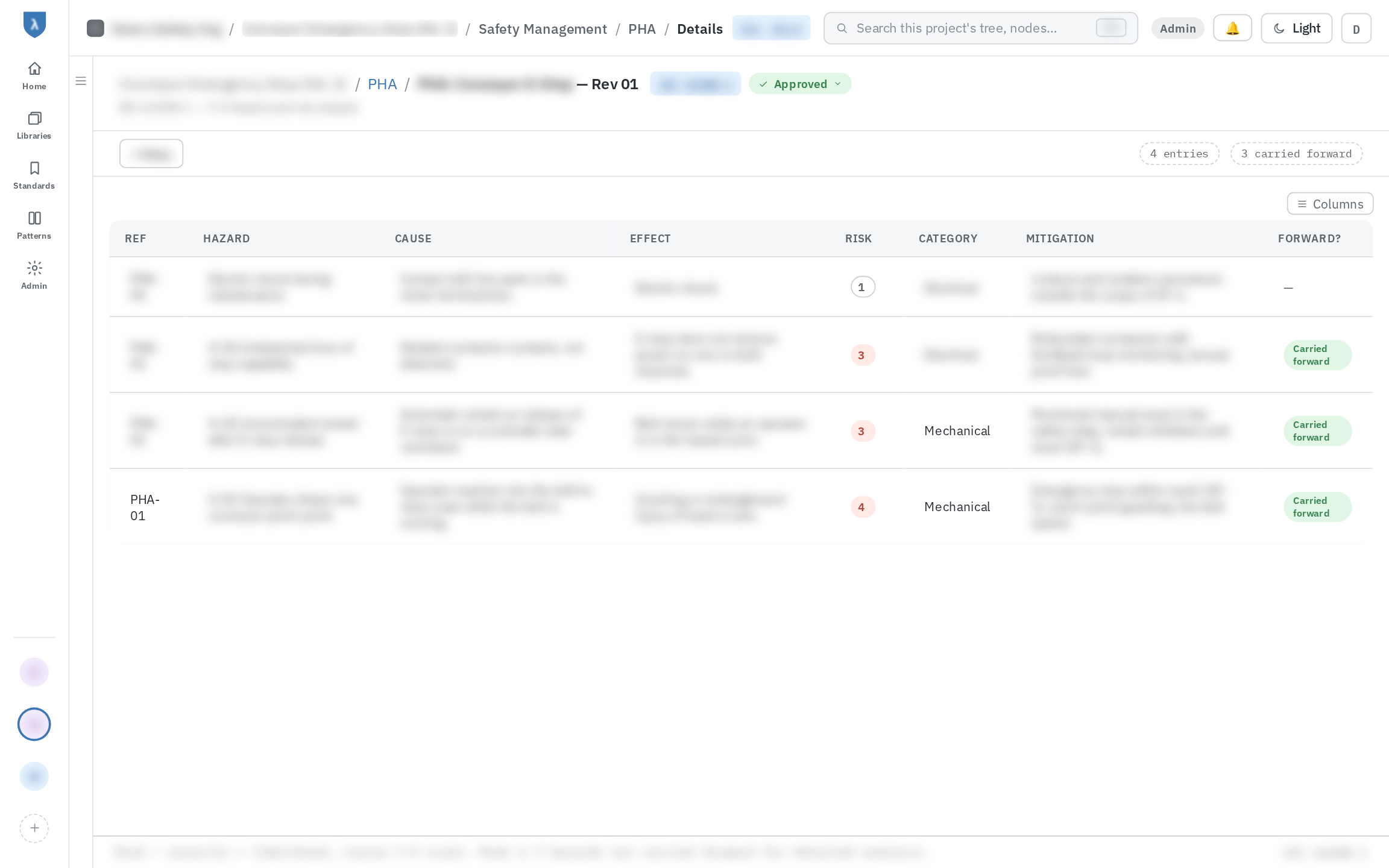
Preliminary hazard analysis worksheet with hazards, causes, effects, risk and mitigation
System: hazard analysis. PHA, HAZOP, HARA and risk graph / LOPA worksheets, with hazards carried forward into the next analysis.
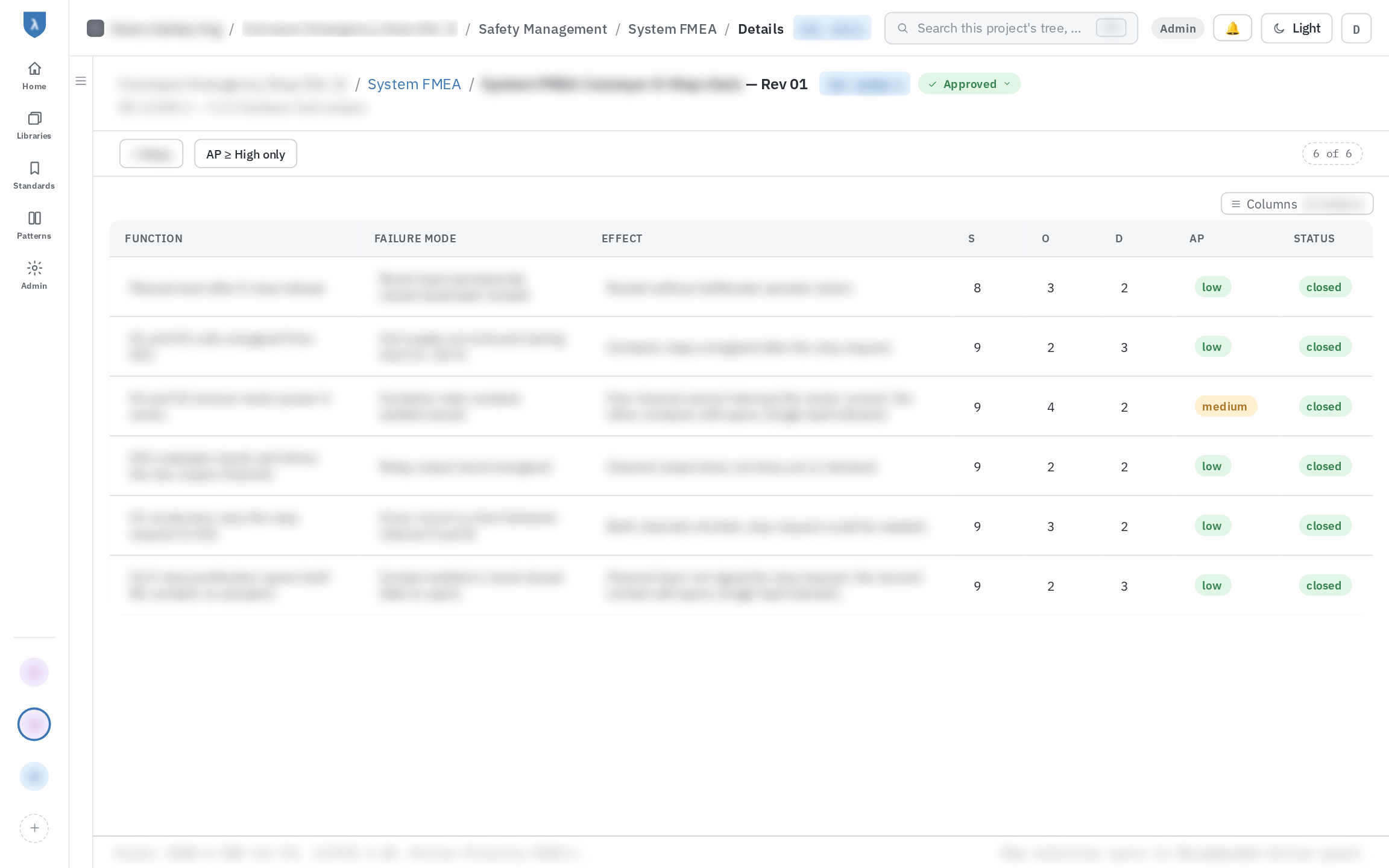
System FMEA worksheet with functions, failure modes and effects, severity, occurrence and detection ratings, action priority and status
System: FMEA. Functions, failure modes and effects rated for severity, occurrence and detection, with the action priority and the status of each line.
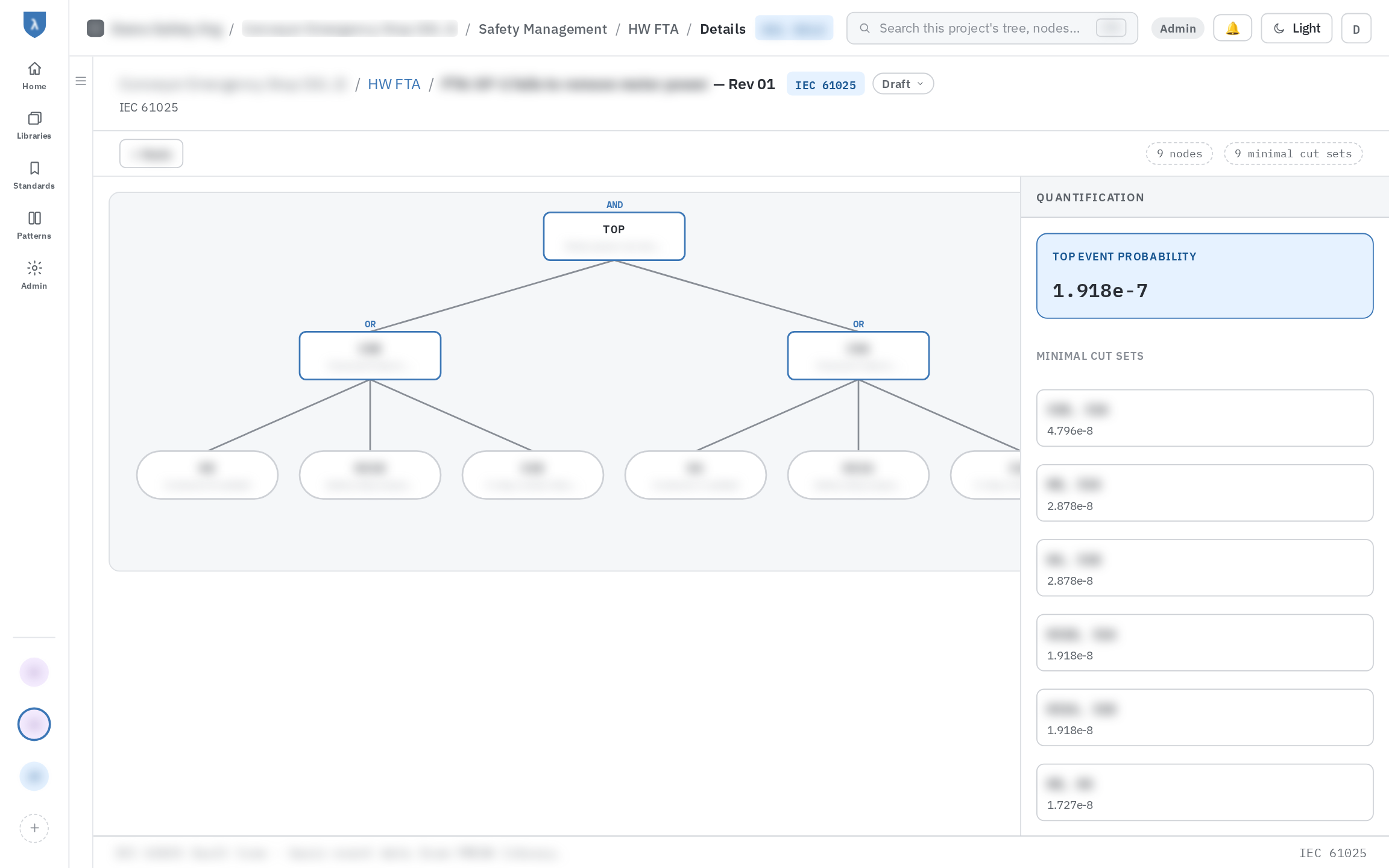
Hardware fault tree with AND and OR gates, top event probability and minimal cut sets
Hardware: fault tree analysis. Build the tree, and λSafe quantifies the top event and lists the minimal cut sets.
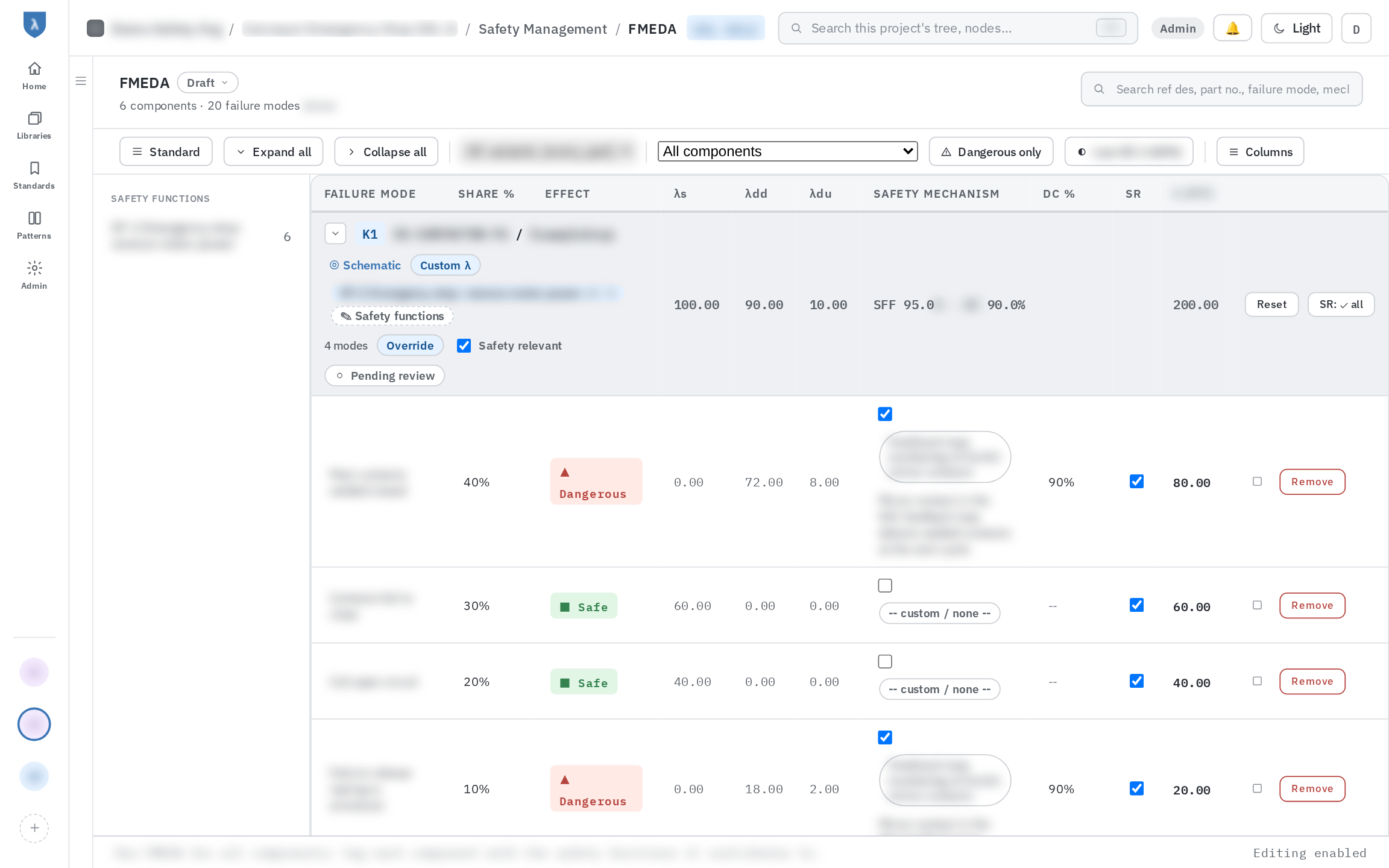
FMEDA worksheet with failure modes, safe and dangerous failure rates, safety mechanisms and diagnostic coverage per component
Component: FMEDA. Failure modes, failure rates and diagnostic coverage per component, linked to the schematic and the safety mechanisms.
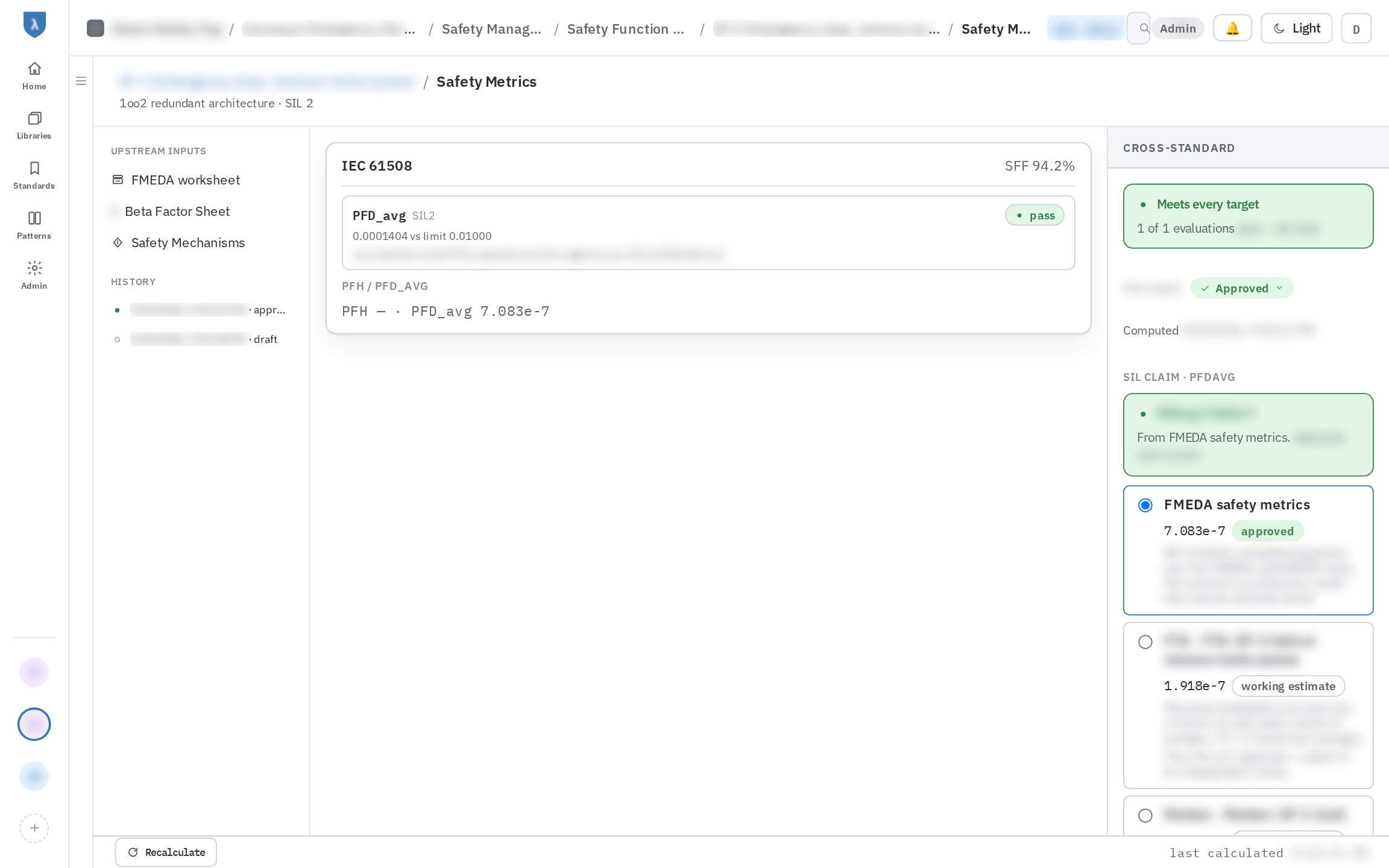
Safety metrics for a safety function with PFDavg result, upstream inputs, SIL claim and architectural constraint
Safety metrics. Each result lists the inputs behind it and checks the SIL claim and architectural constraint, so you can see which estimate the claim rests on.
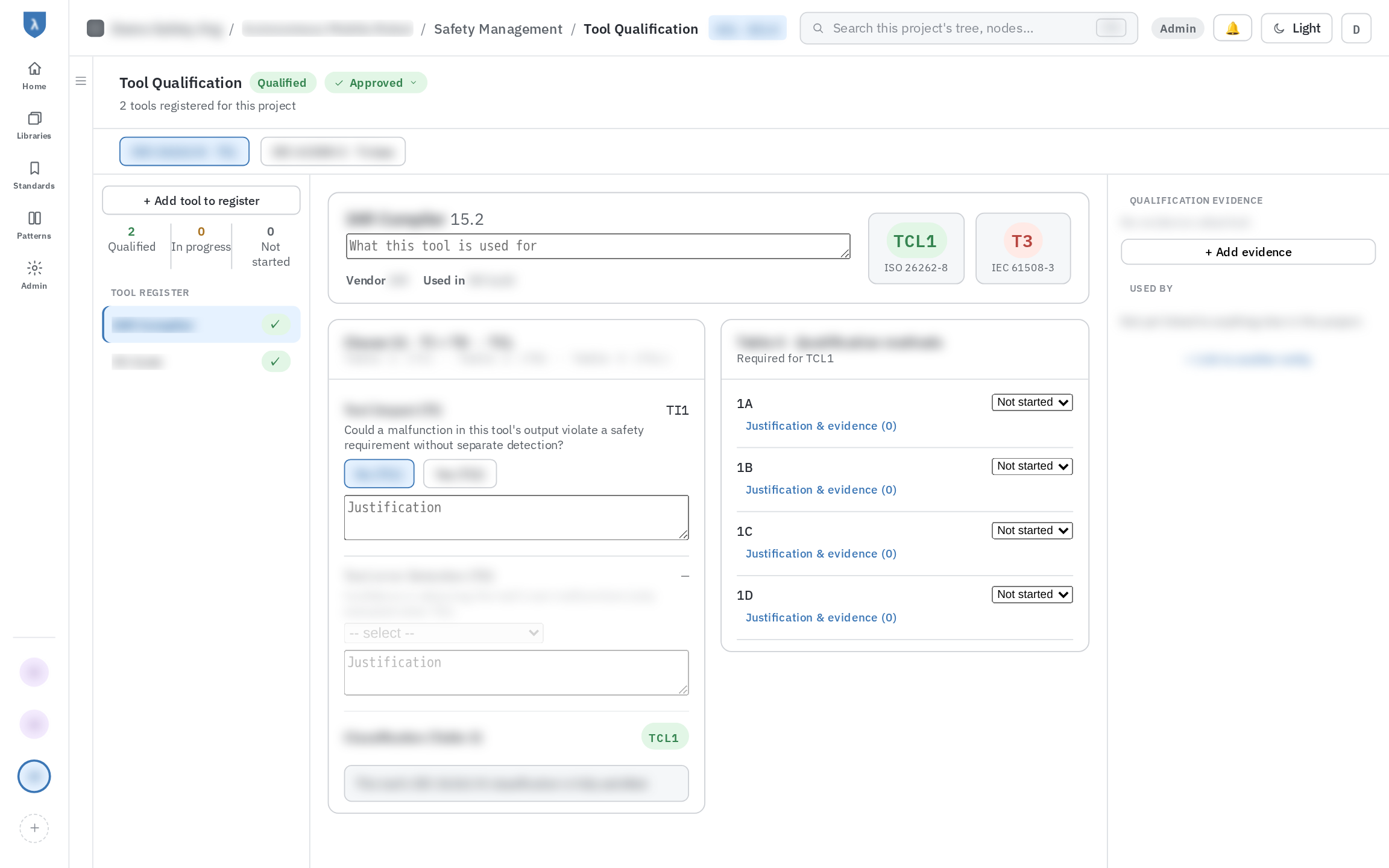
Tool qualification register with tool impact and error detection, confidence level per standard and the qualification methods required
Tool qualification. Register the tools used on the project, classify each one per standard (TCL under ISO 26262-8, T1 to T3 under IEC 61508-3) and track the qualification methods and evidence that classification requires.
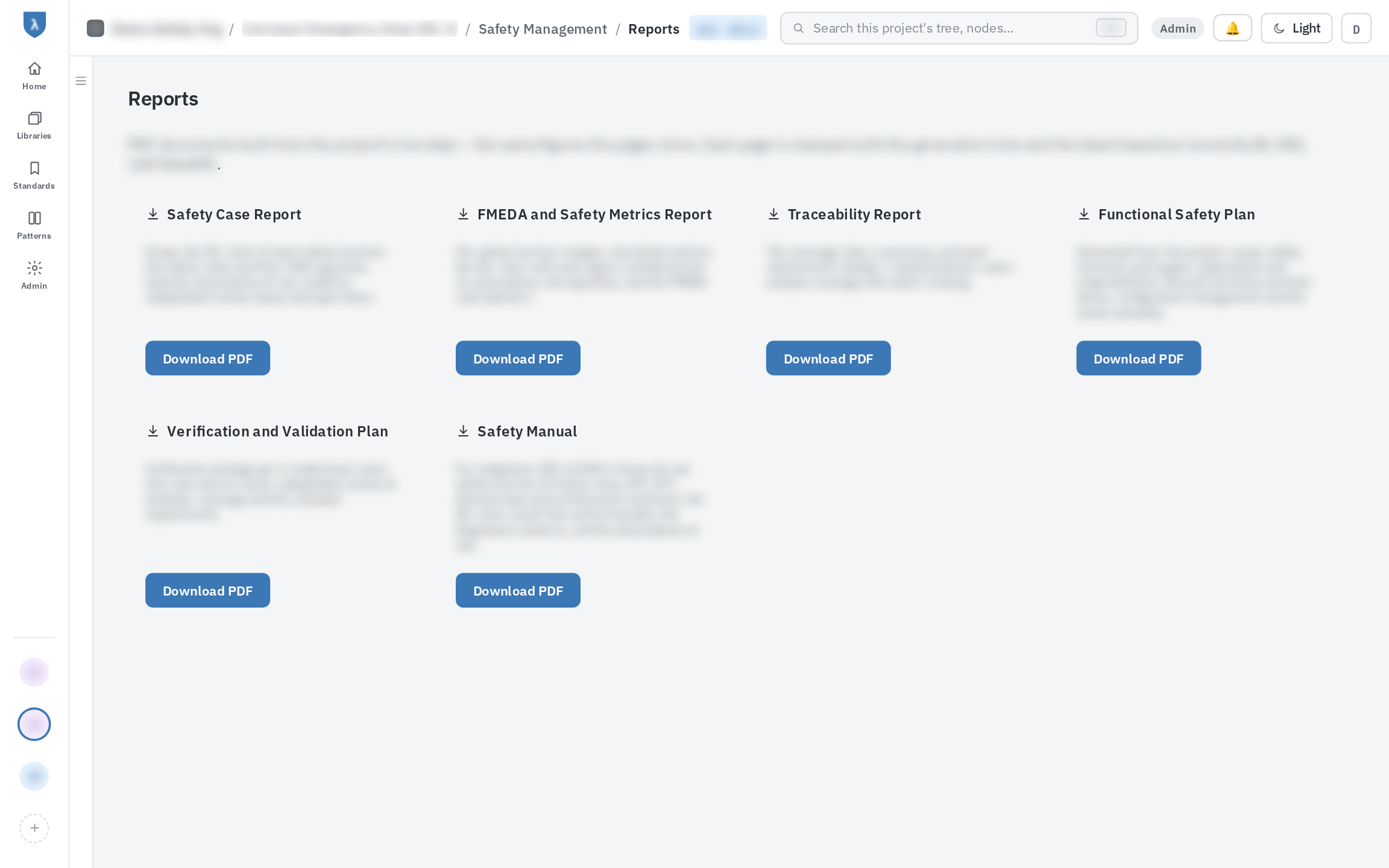
Reports page offering safety case, FMEDA, traceability, functional safety plan, V and V plan and safety manual PDFs
Reports. The safety case, FMEDA and metrics, traceability report, functional safety plan, V&V plan and safety manual, generated as PDFs from live project data.

Safety analysis

Hardware analysis that stays connected to the rest of the project

Work at the level of components and failure modes. The metrics update beside your worksheet.

FMEDA worksheets

Failure modes, failure rates and diagnostic coverage per element and per channel, with live safety metrics next to the table.

Component reliability library

FMEDA rows cite shared library entries, so failure-rate data is entered once and reused. See where each entry is used across projects.

Safety mechanisms

Assign mechanisms to failure modes with test interval, diagnostic coverage and verification status, and see which have no evidence yet.

Common cause failures

Score the standard's checklist item by item, attach a justification and documents to each, and carry the resulting β factor into the metrics.

Safety metrics

SFF and PFH, SPFM, LFM and PMHF, MTTFd, DCavg and PL. Each result shows its target and tells you when an input changed since the last calculation.

BOM and schematic import

Import your BOM to create FMEDA components. Attach a vector schematic PDF and see parts matched by reference designator, highlighted by colour. Highlights never change the analysis.

Traceability

Every result links back to what produced it

Open a metric and follow it to the FMEDA, the mechanisms and the common cause assessment behind it. Generate the evidence and traceability report from the same data.

Source

FMEDA

failure rates · DC
Input

Safety mechanisms

interval · coverage
Input

β factor

scored checklist
Result

Safety metrics

verdict per standard

Standards

Calculated the way each standard asks for it

One analysis can be tagged against several standards, and each branch of the safety case keeps its own status.

IEC 61508SIL 1 to 4SFF · PFH · DC

Metrics checked against the target for your subsystem type and hardware fault tolerance.

ISO 26262ASIL A to DSPFM · LFM · PMHF

Single-point and latent fault metrics, with ASIL decomposition across channels.

ISO 13849-1PL a to eMTTFd · DCavg · Category

Performance level resolved from category, MTTFd band and DCavg band.

A built-in standards database explorer lets you look up requirements without leaving the project.

Deployment

Run it hosted, or run it yourself

Both options come from one codebase, so you can start hosted and move on-premises later without changing how you work.

Hosted by Pyravera

A multi-tenant service with each organisation's data kept separate. Nothing to install or maintain.

Self-hosted

Deploy on your own infrastructure, including air-gapped and on-premises environments for automotive and defence customers.

Contact

Tell us what you are working on.

A training need, a project that needs safety support, or a question about our tooling. Write to us and we will reply with the next step.